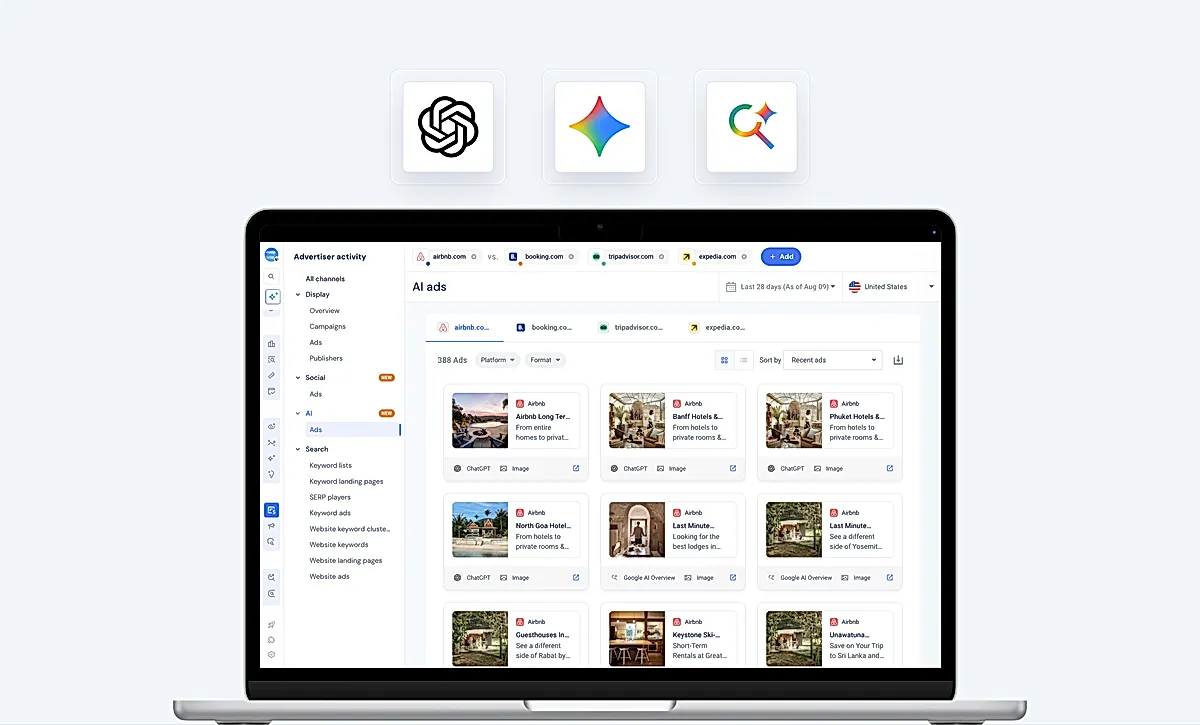
AI Ads gallery
On this page
Before this, there was no way to see an ad on ChatGPT, Google AI Overview, or Google AI Mode. None. The data needed to even detect these placements barely existed yet. I had a ticket, no spec, and no backend, and I had to decide what an “AI ad” even was before I could build anything to show one.
The problem #
AI Ads is a new category. There was no prior art for how to catalog an ad inside a chat answer versus a shopping card inside Google AI Mode versus an inline contextual ad in an AI Overview. Similarweb’s data team was standing up panel data collection for it in parallel, which meant the schema didn’t exist yet either. I was assigned the design ticket but the design brief was “figure it out.”
Showcase of a built feature #


Here’s what got shipped to production: A new AI Ads gallery for ChatGPT, Google AI Overview and Google AI Mode.
Role and team #
I built the prototype alone: taxonomy, mock data, rendering logic, filters, the works. Two weeks after I stopped touching it, another engineer, Alexander Shcherbakov, picked it up under a new ticket and shipped it to production, wired to a real API and gated behind a paywall claim. I didn’t do that part. I’m writing about the part I did.
How I worked #
Research #
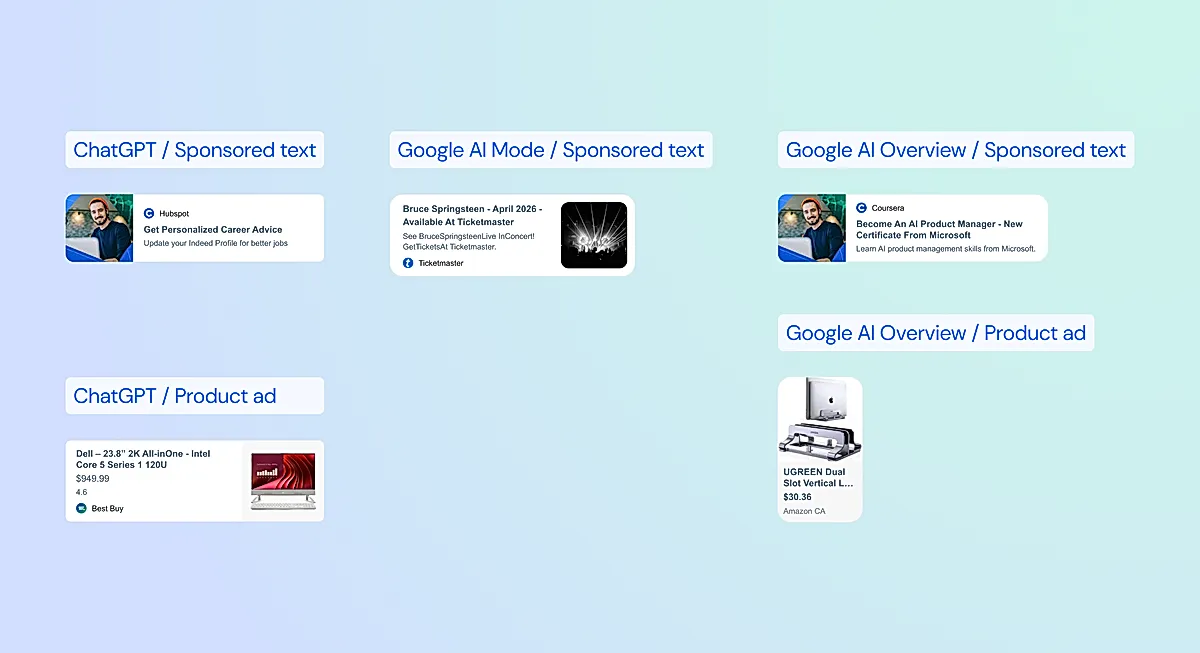
I researched a lot and mapped how various chats and AI tools displayed the ads.
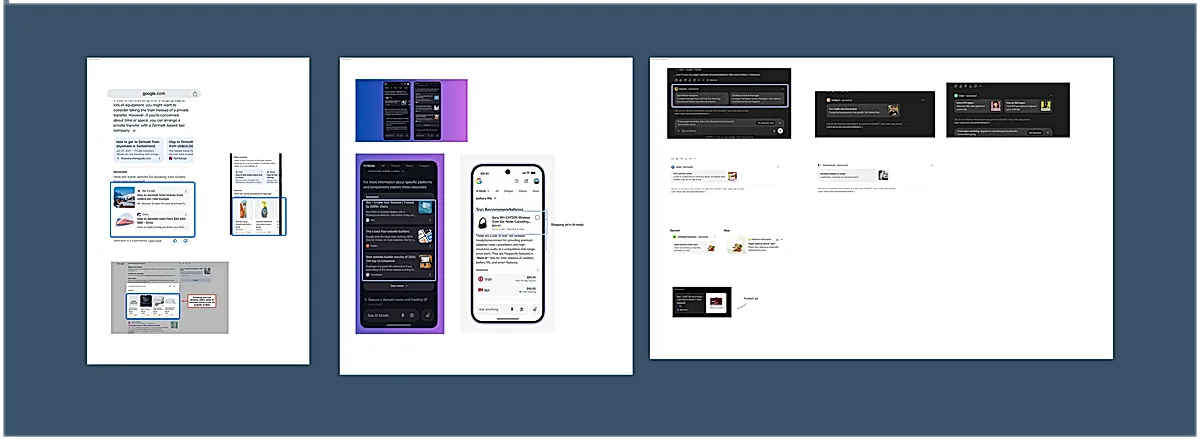
Once I figured out all the variants and prepared them in Figma, I used Claude Code for most of the code generation, then reviewed and fixed what came back.
The taxonomy decision (below) and the rendering model were mine, I didn’t let the agent make that call, because it’s the one thing in this project nobody else could check for me. What I could verify mechanically, I did: unit tests around the pure logic (price display, canonical landing page parsing, recent-domains sorting), and the X-Ray tool I built specifically to eyeball every taxonomy combination by hand.
Research outcomes #
I believed consistency across platforms mattered more than fidelity to each platform’s raw format. ChatGPT, Google AI Overview, and Google AI Mode each have their own vocabulary for what a “card” or a “shopping ad” is. If I rendered every platform’s native format differently, a user comparing their ad presence across all three would be looking at three unrelated UIs. So instead of building nine bespoke card renderers, I collapsed the taxonomy into three display kinds: text, image, and product. Whatever platform an ad came from, if it collapsed into the same kind, it rendered the same way.
The work #
The taxonomy came down to nine raw values from the eventual backend table, genai_creatives_gallery.creative_format: things like Chat_Card_Text, Chat_Product_Shopping_Ad, HighlightedAnswers_Shopping, Inline_Contextual_Ads_Image. I mapped every one of those nine values to one of three display kinds, and that map became the single point controlling layout, the footer label, and the format filter. Add a tenth taxonomy value later, and it’s a one-line addition instead of a new component.
Since the backend didn’t exist yet, I had to invent the data shape myself and mock it, matching field names to what I understood the eventual genai_ads_gallery and genai_creatives_gallery tables would contain. That’s the part with no safety net. I was committing to field shapes before the data team had confirmed them. When their answer eventually landed, it held up close enough. A few details still haven’t been resolved either way. The canonical landing page (stripped of query params and hash, used to group ads by destination) is still computed client-side because the backend field for it doesn’t exist yet. I marked that helper TEMPORARY in a comment. It’s still marked that way in production today.
I built the interaction layer with the same instinct: a domain search that separates “who’s actively running AI ads worldwide” from “domains you’ve recently looked at,” a masonry-to-table view switcher, download-as-zip, filters for platform and format, and a modal for stepping through ads one at a time. None of that needed the real backend to prove out. It needed real component behavior, which mock data could give me.
The X-Ray tool #
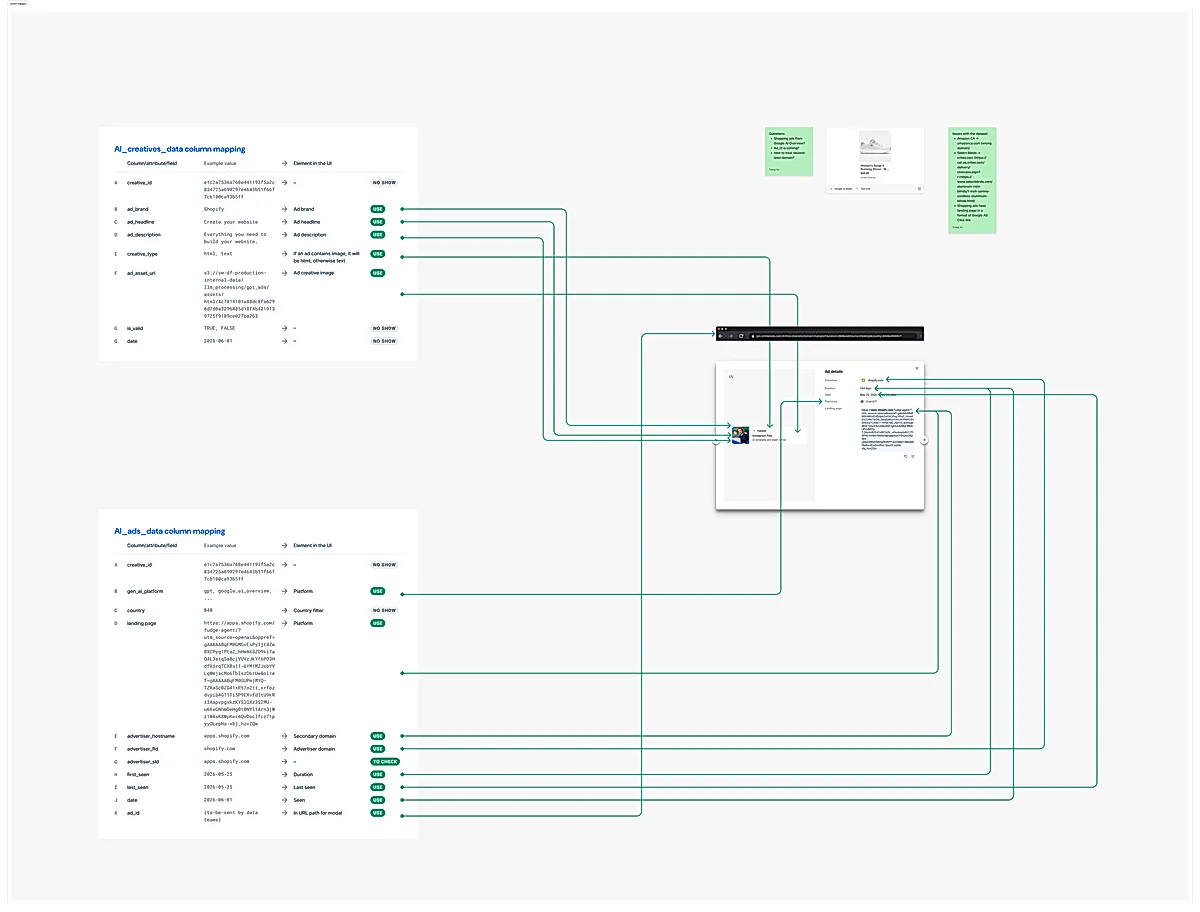
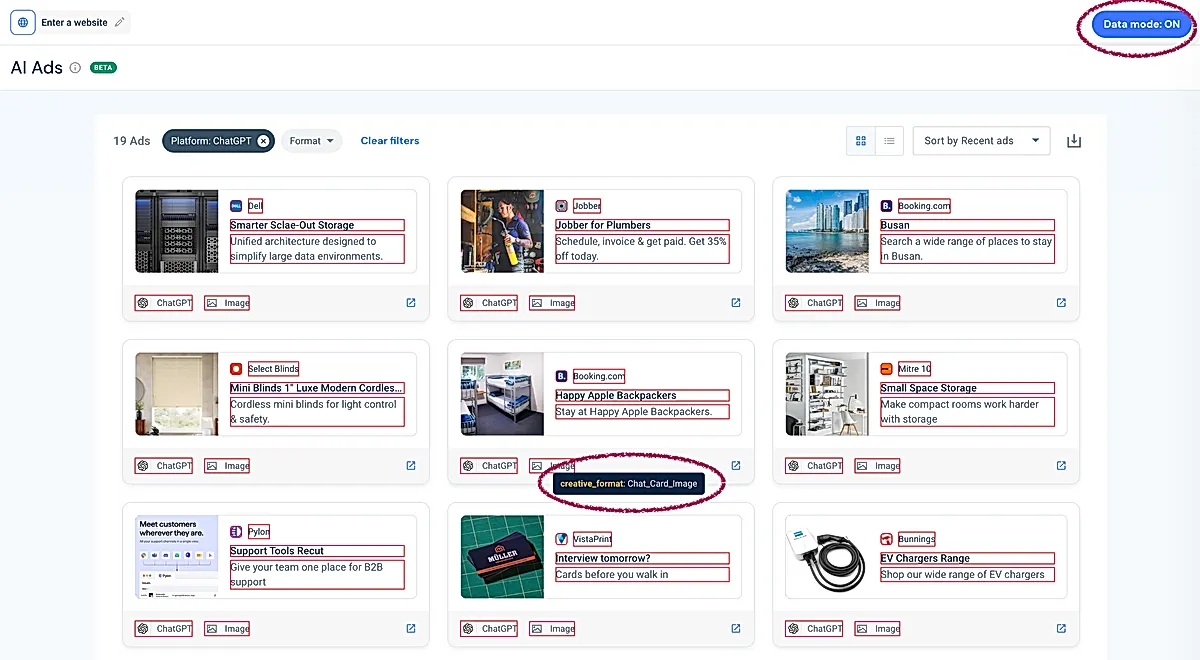
The thing I’m proudest of isn’t user-facing at all. Initially, I prepared a mapping in Figma but it was hard for everyone to visually check which field goes where and the data fields changed constantly. So instead of Figma, I built an X-ray layer over the prototype.
Every element that rendered a backend-driven value got tagged with a data attribute holding the field name and the value. A floating toggle turned on an overlay: red outline on every tagged element, a tooltip with the field name and value on hover, and a click to copy the value to clipboard.
const handleClick = (event: MouseEvent): void => {
    const el = findTagged(event.target);
    if (!el) return;
    event.preventDefault();
    event.stopPropagation();
    void navigator.clipboard.writeText(el.getAttribute(XRAY_VALUE_ATTR) ?? "");
    setCopied(true);
};
This let me verify every one of the nine taxonomy combinations rendered correctly without opening devtools or pinging the data team every time I second-guessed a mapping.
I also built a “showcase” mode off the same infrastructure: one synthetic ad per taxonomy value, rendered all at once, so I could see every creative type on screen simultaneously, including the ones the mock data didn’t happen to contain yet. Both were marked to be stripped before production, and they were. Neither survived into production. That was always the plan; they were tools for building the gallery, not part of it.
What shipped #
What’s live now under Advertiser Activity → AI Ads is barely different from what I left behind. The file names changed, it’s wired to a real endpoint instead of mock data, and it’s gated behind a claim with a paywall promo screen for users without access. But the taxonomy map, the display-kind collapsing logic, the canonical-landing-page helper, the masonry gallery, the filters: all of it carried over.
What I’d do differently #
I should have looped the data team in with the working prototype earlier than I did. I had something clickable that showed exactly what fields I needed and how I planned to use them, and I sat on it longer than made sense before bringing it into the schema conversation.
What this changed #
I now default to building the interactive prototype before the data contract is final. A written spec of field names is abstract. A prototype that renders real interactions off invented data is something a data engineer can look at and say “that field won’t exist” or “that’s not how discounts work” before either of us has built the wrong thing.
Next steps #
Next on the product roadmap is addition of valuable metrics on top of this ad gallery.
Credits #
Sara Bazikova
Felipe Cofre
Matej Tremko
Anish Girdhar
Roman Izosimov
Rafael Kamaltinov
Alexander Shcherbakov
- Previous: Ad evidence widget